A desktop app for authors.
From first draft to finished book.
Plan, write, dictate, edit and translate your book. Create print-ready interiors, covers and launch graphics in one desktop app, with your manuscript saved on your computer.
The Colonial Mansion
It is very seldom that mere ordinary people like John and myself secure ancestral halls for the summer.
Still I Still, I will proudly declare that there is something queer about it.
Proofreading suggestionPunctuation · Insert comma after introductory adverb “Still”.
Review proofreading suggestions as tracked changes.
It is very seldom that mere ordinary people like John and myself secure ancestral halls for the summer. A colonial mansion, a hereditary estate, I would say a haunted house.
Es muy raro que personas corrientes como John y yo consigamos alquilar una residencia señorial para pasar el verano. Una mansión colonial, una finca heredada de generación en generación… Diría incluso una casa encantada.
Compare your original with a translated edition.
Preview your book’s typography and page layout.

Create cover artwork and prepare it for print.
Watch
See Studio at work.
Start with a short narrated tour. Then pick a guide for the task in front of you. Each one has its steps written out, and they are all built into the app too.
See all guidesStudio also has a Help center built in, and Feedback & support, where you can write to us from inside the app.
Assistant
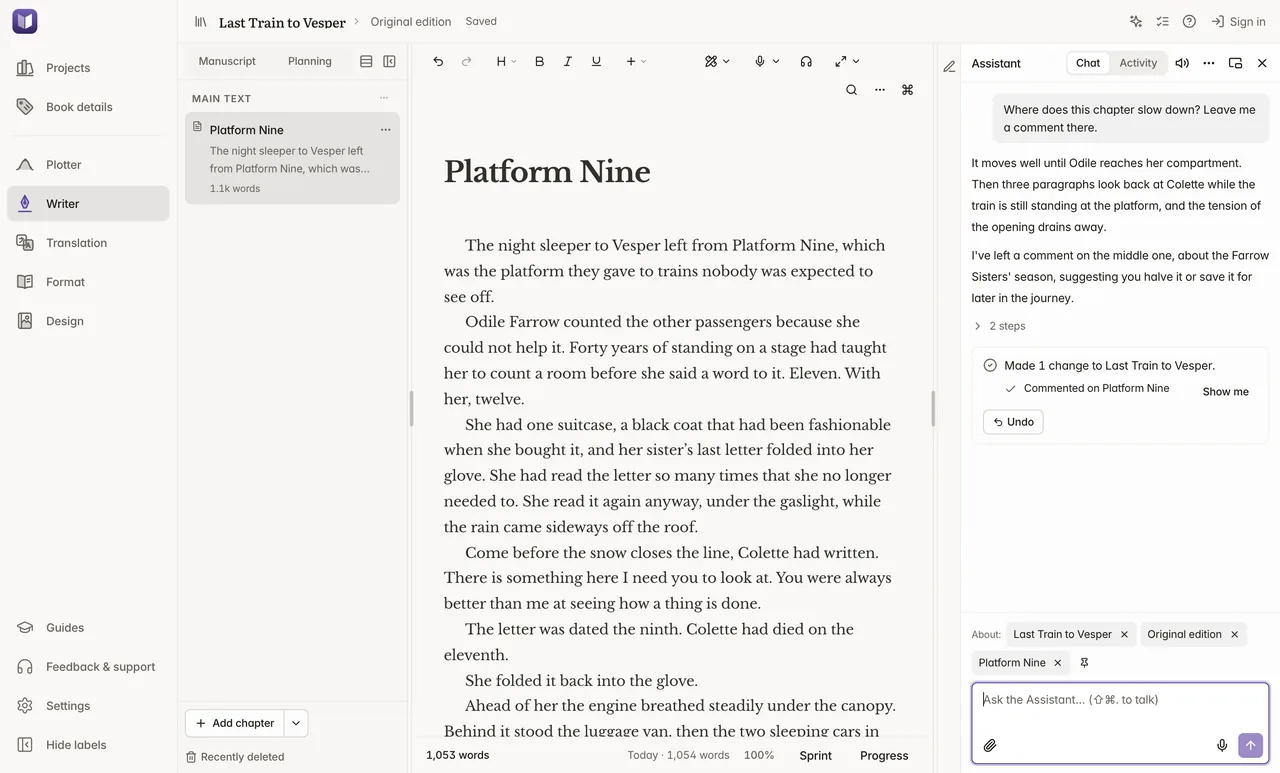
Ask Studio to do the work.
Ask for something in your own words: fill a plot template, draft a chapter from its beats, add an Also By page, export the ebook. The Assistant works through Claude Code or Codex with your own Claude or ChatGPT plan. Studio adds no charge.
It knows the book, chapter and selection on screen. You might ask:
- Draft this chapter from its beats
- Give me three alternative plots to compare
- Add a dedication and an Also By page
- Start a German edition
 Open a larger image
 Open a larger image
 Open a larger image
- Your words stay yours
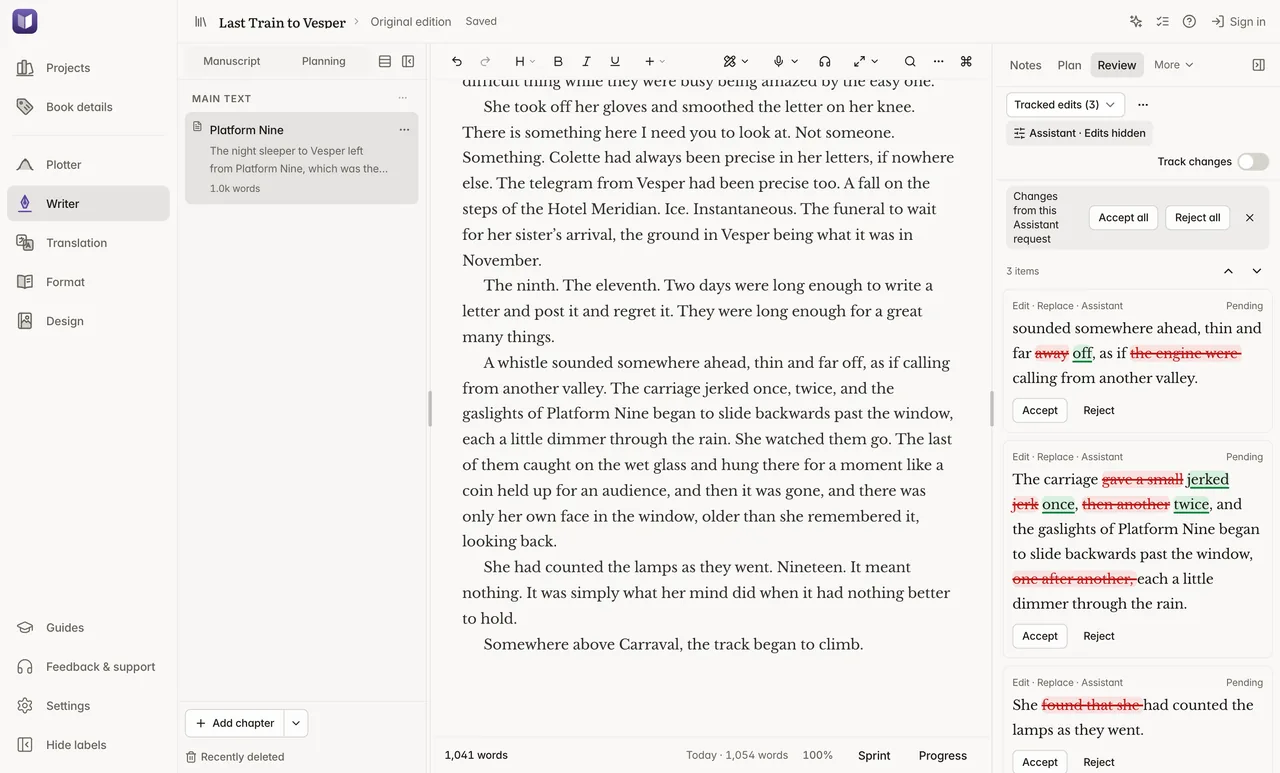
- Edits to text you wrote arrive as suggested changes. Accept or reject each one, or let it edit directly if you prefer.
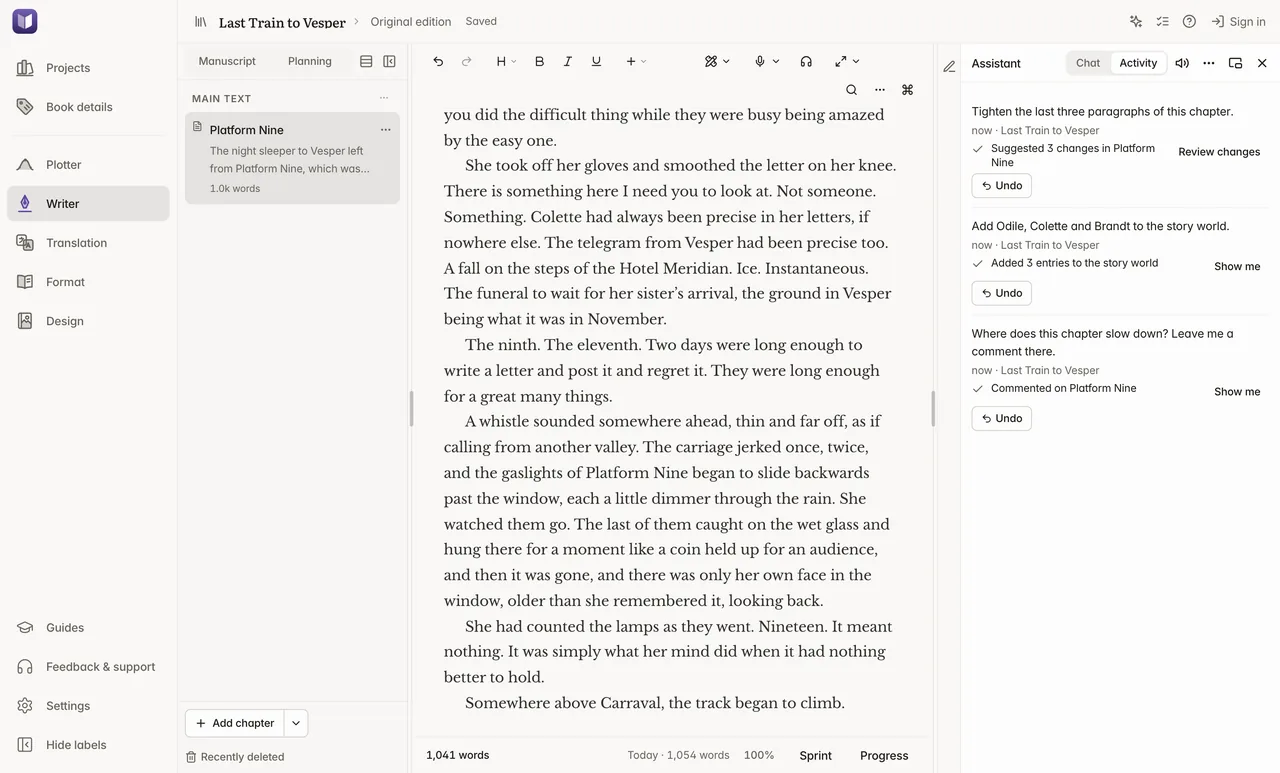
- Show me and Undo
- Every request ends with a short list of what changed. Show me takes you to the place. One click undoes the whole request.
- One request, a whole backlist
- Ask “Which books are missing keywords?” and it reads your whole library. When one request changes several books, each book gets its own Undo.
- Talk to it
- Speak a request and hear the reply. Your speech is written down on your computer.
- Use it from the AI app you already have
- Connect Claude Code, Codex or Claude Desktop, and ask it to work in Studio. What it does is listed in Studio, with its own Undo.
- It can find your files
- “Use the cover image I downloaded yesterday” or “Import my Scrivener project”. It reads and imports files, and never moves or deletes them. You can turn this off.
The Assistant is free. Exporting, translating and proofreading use the same free editions as when you do them yourself. Changing several separate projects in one request needs a Studio license.
Projects
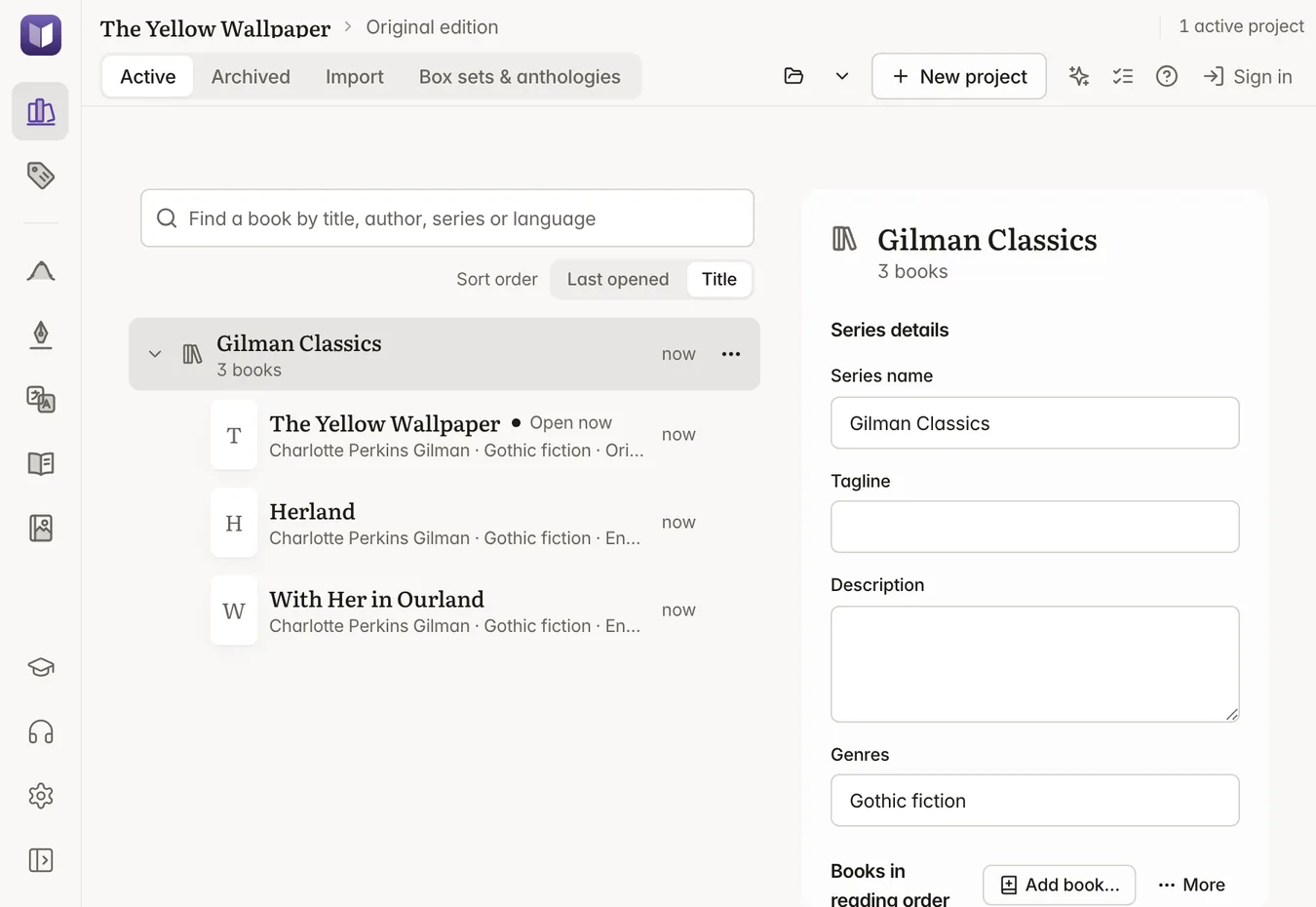
Keep your books and series organized.
Start a new project or import a manuscript. Keep each book, its translations and its publishing files together.
 Open a larger image
Import from
- Word.docx
- Scrivener.scriv
- Vellum.vellum
- UlyssesLibrary export
- Apple Pages.pages
- Plottr.pltr
- EPUB.epub
- Markdown.md
- Plain text.txt
- Standalone or series
- Keep the books in a series together, in reading order.
- Your files and backups
- Choose where your projects are saved and include them in your usual backups.
- Flexible manuscript imports
- Import directly from Scrivener, Word, Vellum, Pages, EPUB, or Markdown with your chapter structure intact.
- Back up a whole project
- Save a complete copy of a project to any folder you choose. Each project is an ordinary folder on your computer.
Prepare your book’s store listing.
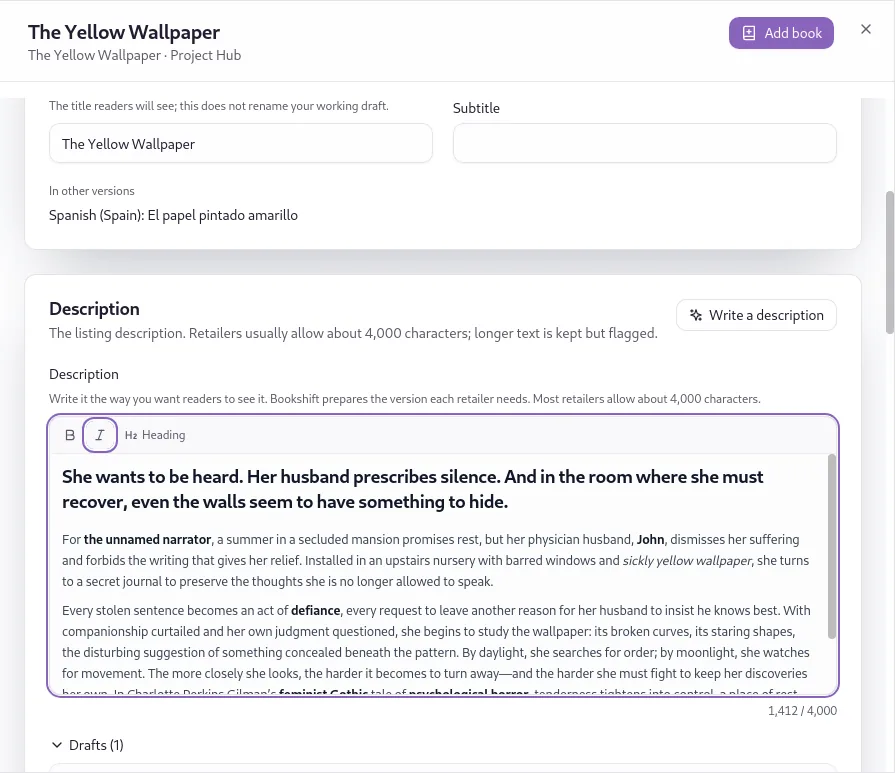
Draft the description, choose keywords and manage titles for each language edition.
- Draft and edit your description
- Ask your AI service for a first draft, then refine the text and formatting. A character count helps you meet store limits.
- Find relevant keywords
- Get keyword suggestions for Amazon KDP, then choose the ones that fit your book.
- Explore translated titles
- Compare title suggestions for a translated edition, with an explanation of each choice.
 Open a larger image
Plotter
Plan the story. Keep track as you write.
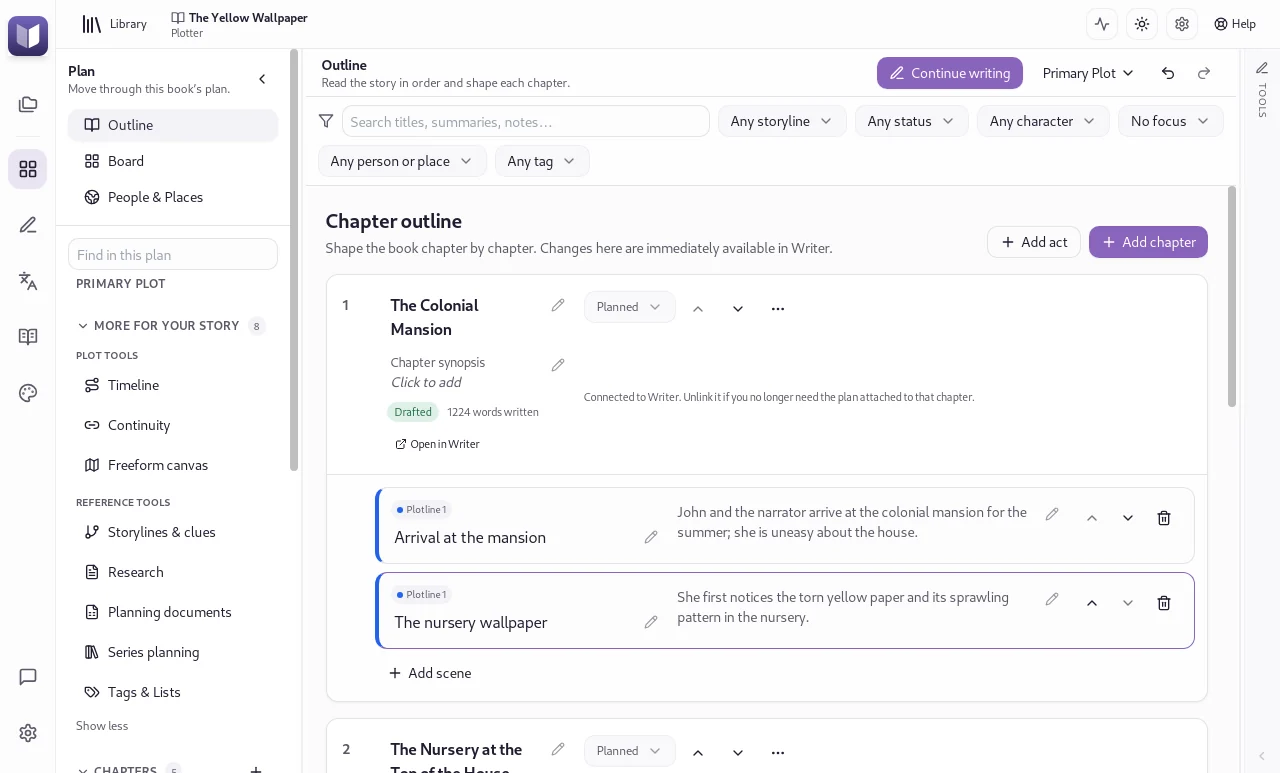
Lay out chapters and scenes, follow each plotline and keep track of who appears where.
 Open a larger image
- Choose how you plan
- Work on a scene board, build an outline, or develop your characters and settings.
- Track the details
- Keep timelines, continuity, clues, research and series plans alongside your outline.
- Progress on every scene
- Track scenes from the first plan to the final revision. PlannedDraftingRevisingComplete
- Separate planning and chapter notes
- Keep chapter notes in Writer without changing them when you revise your plot.
- 106 plot templates
- Start from a proven story structure, with idea banks to help you fill it in.
- Try another version of the plot
- Draft an alternative plot, compare it side by side, and keep the one that works. Sketch ideas on a freeform canvas.
Writer
Write, revise and work with your editor.
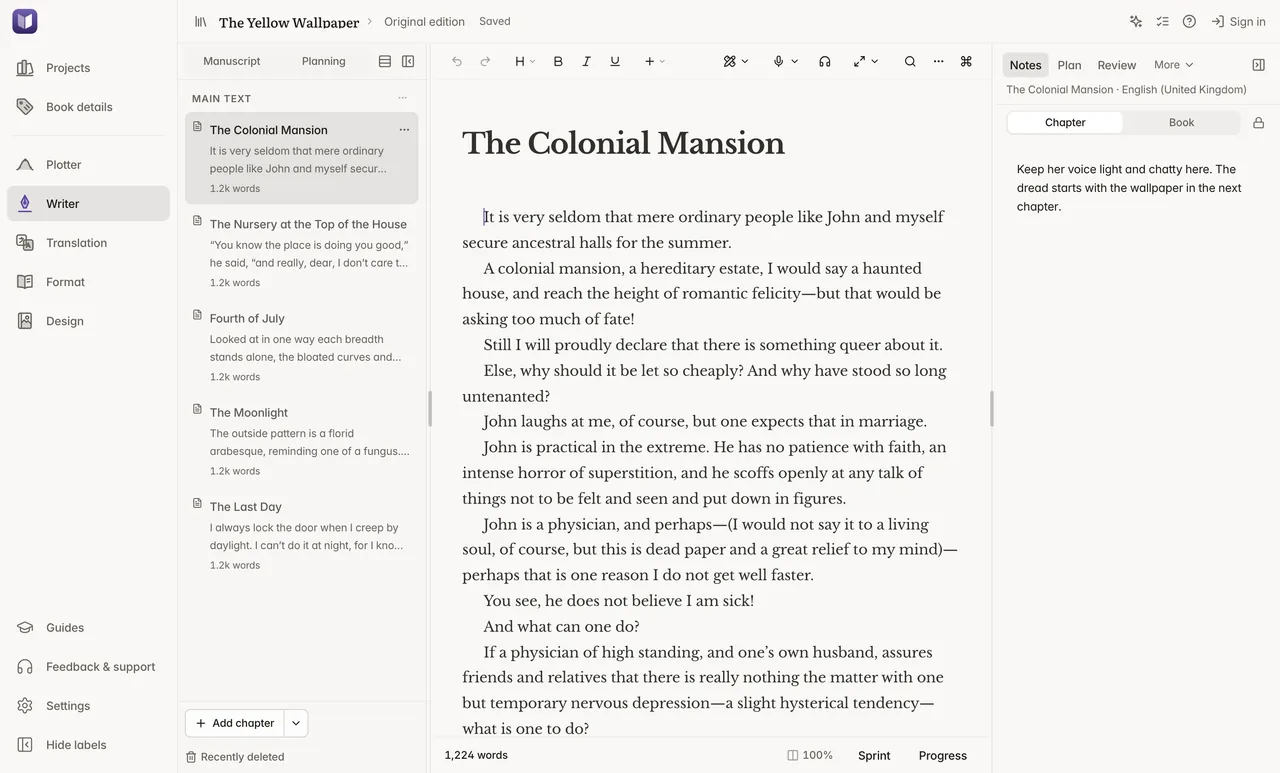
Draft chapter by chapter, stay focused and review changes without leaving your manuscript.
Watch
 Open a larger image
- Focus modes and soundscapes
- Dim everything except the paragraph you’re working on, read your dialogue on its own with Dialogue focus, or hide what you’ve already written with Hemingway mode. You can also settle into a dark, quiet writing room with ambient sound or white, pink and brown noise. Typewriter scrolling and a sprint timer help you keep going.
- Save points for major revisions
- Take a snapshot before a rewrite so you can compare versions or return to an earlier draft.
- Tracked changes from Word
- Send a Word review copy to your editor. When it returns, import it with tracked changes and inline comments preserved.
- Local prose checks
- Prose Polish highlights repeated words, passive voice and pacing patterns entirely offline. English is fully supported, with preview packs for ten more languages, including German, French, Spanish and Japanese.
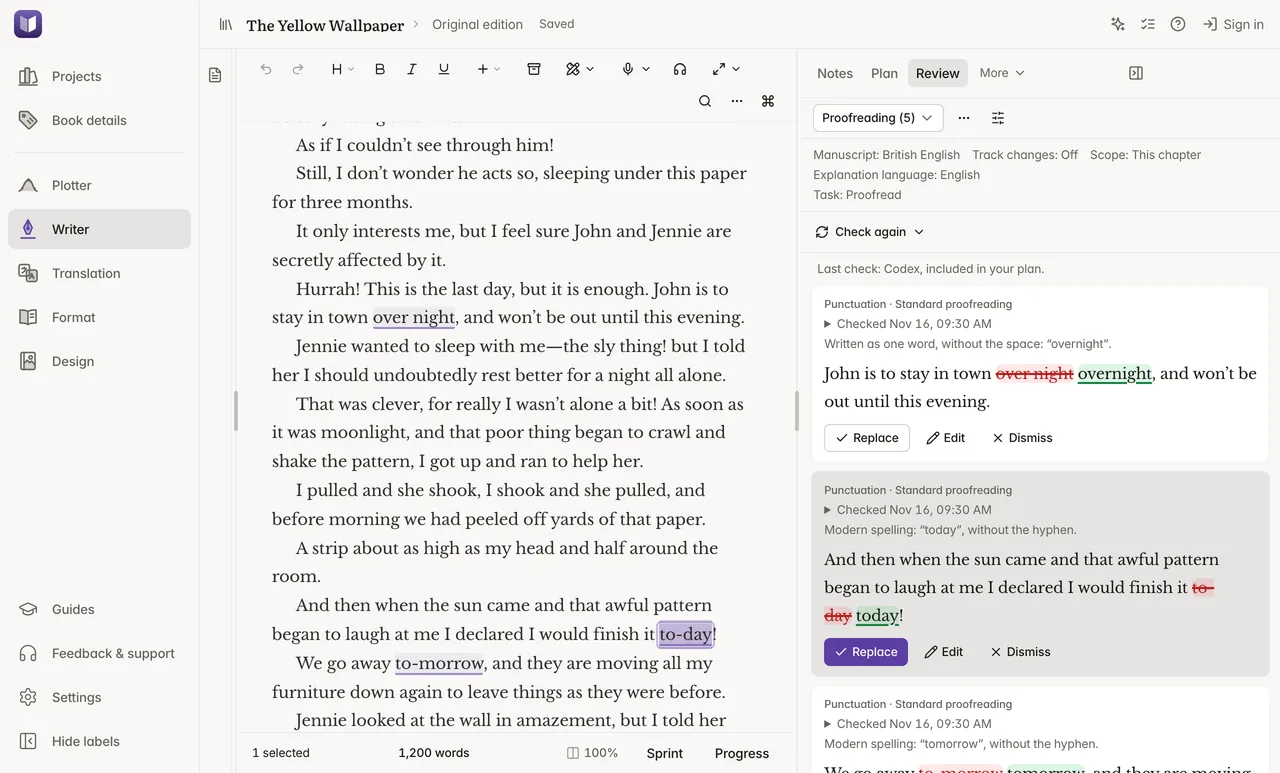
- Proofreading beside the page
- Proofread a chapter or your whole book with your connected AI service. Review suggestions as tracked changes.
- Draft recovery
- Recover recent typing when you reopen a chapter after an unexpected shutdown.
- Goals, routines and streaks
- Set daily and per-book word goals, plan sprints and breaks, and watch your streak grow. Export your progress whenever you like.
- Texts, letters and verse
- Write text-message conversations, letters with signatures and poems inside your chapters. They keep their look in print and ebooks.
- Read it through with Edit Flow
- Your manuscript scrolls past at a steady pace, so you read it as a reader would. Press one key to mark a place to fix, and keep reading. Reading in Edit Flow changes nothing in your text.
- Split view and a writer’s thesaurus
- Open two chapters side by side and write in both. Find words for emotions, body language, dialogue beats and settings in the thesaurus beside your chapter.
Talk, listen and write.
Dictation, transcription and read aloud run on your computer, offline and free. Voices and speech models download the first time you use them.
- Dictate in about 40 languages
- Click or hold the microphone and tell the story as you would aloud. Turn on Smart cleanup and your connected AI service adds the punctuation, paragraphs and quotation marks for you, so you never say “comma” or “new paragraph”. It works in Writer and any text box in Studio.
- Turn recordings into chapters
- Transcribe a voice memo or recording of up to four hours. Each pause of two seconds or more starts a new paragraph.
- Hear your book read aloud
- Listen from the cursor with each word highlighted, in natural voices for English, French, German, Spanish, Italian, Portuguese and Dutch. Teach it how to say your characters’ names.
- Edit by voice
- Select a passage and say what to change, and your connected AI service rewrites it. One Undo brings back your original words.
 Open a larger image
Translation
Bring your book to more languages.
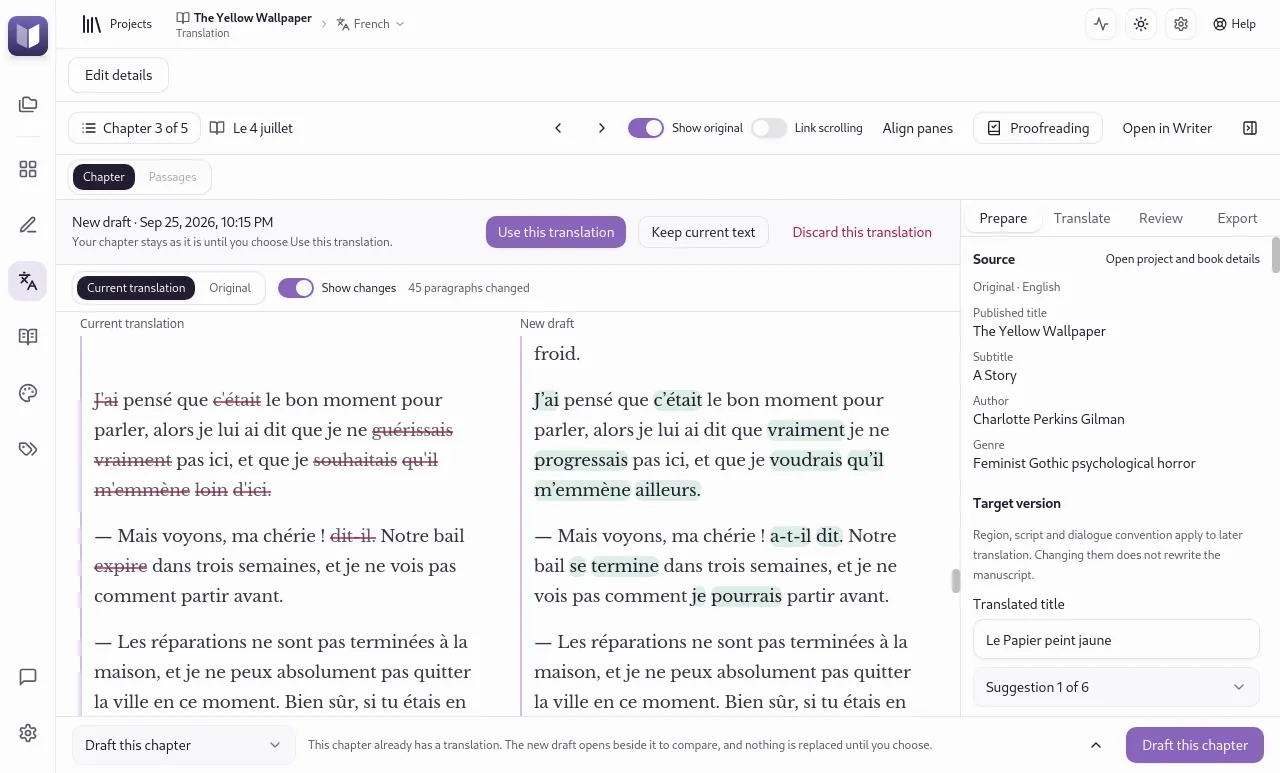
Keep each translation’s manuscript, title, description and publishing files together. Your original remains unchanged.
 Open a larger image
- 44 languages
- Translate between 44 supported languages using your connected AI subscription or API key.
- Consistent names and style
- Create a translation guide for tone, character names and invented terms. Use the same guide throughout the book, and update it when needed.
- Translate chapters or a whole book
- Choose the text to translate, then review the result alongside your original. You can also write a chapter’s translation yourself.
- Print setups for every version
- Give each language version its own paperback and hardcover setups, each with its own export files.
- Prepare each edition for publication
- Give each translation its own cover, print settings, description and keywords. Edit and format it with the same tools as the original.
- Picks up where it left off
- Long translations continue after a restart, and resume on their own when your AI plan’s usage limit resets.
Format
Create print and ebook interiors.
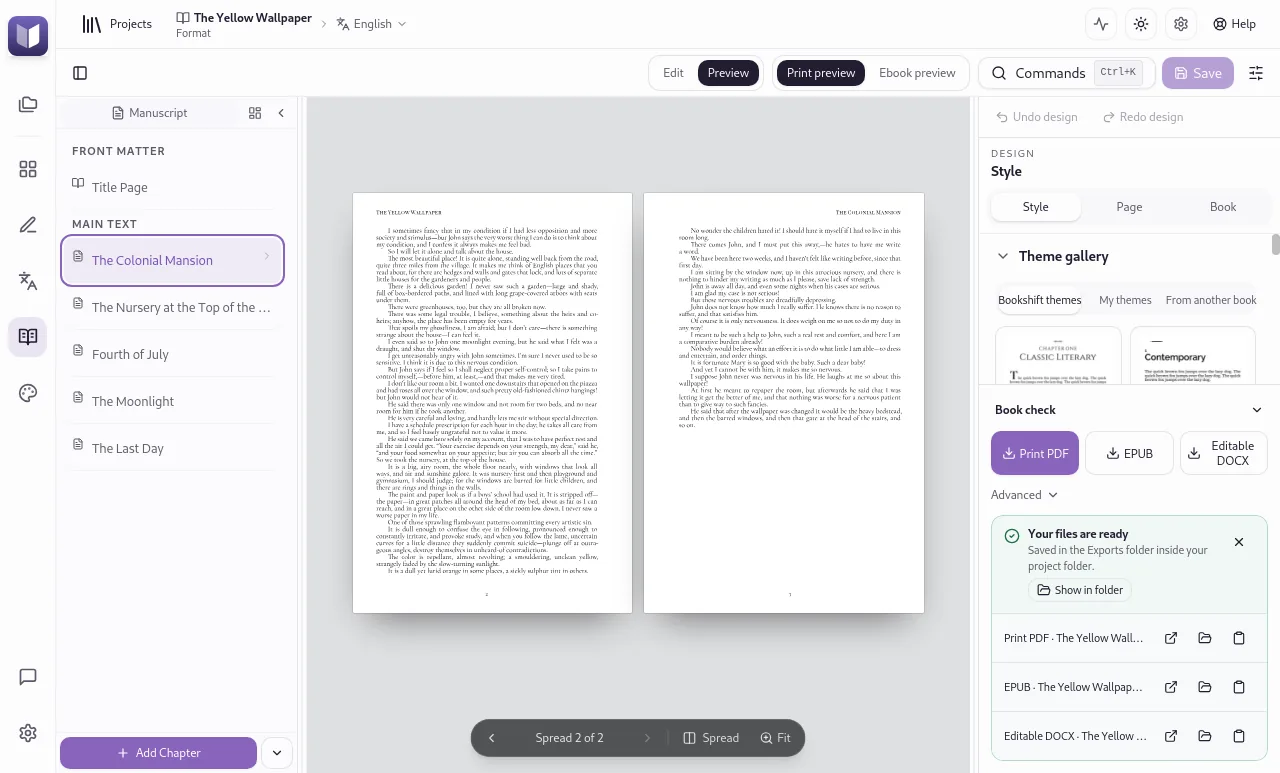
Choose a book style, customize chapter openings and preview the pages as you work.
 Open a larger image
Find a style for your book
Start with a built-in theme for fiction, memoir or nonfiction. Adjust the typography and layout to make it your own.
- PDFPrint interior for your printer
- EPUBEbook for online stores
- DOCXWord file to share
- Save a consistent style
- Save a customized theme and reuse it across your books or series.
- Check before exporting
- Check for layout problems before creating your publishing files.
- Preview as you work
- See how your changes affect the printed pages or ebook before exporting.
- Fast exports
- A 486-page novel becomes a print-ready PDF in about two seconds on an 8 GB MacBook.
Typeset for readers everywhere
- Vertical Japanese and Chinese
- Print and ebook pages set top to bottom and bound on the right, with Mincho, Ming or Song body type for each market.
- Right-to-left books
- Arabic and Hebrew books mirror their pages, notes and covers.
- Your book’s own language
- Chapter labels, contents, running heads and the copyright page use the language of each edition, numbered automatically.
- Box sets and anthologies
- Combine books from any of your projects into one collection with shared front and back matter. Your original books stay unchanged.
- Front and back matter
- Build title, copyright, Also By, newsletter and review-request pages from your book details, and reuse them across your books.
- Ebooks for each store
- Export versions for Amazon, Apple Books, Kobo, Google Play Books or your own shop, each with the right store links.
Design
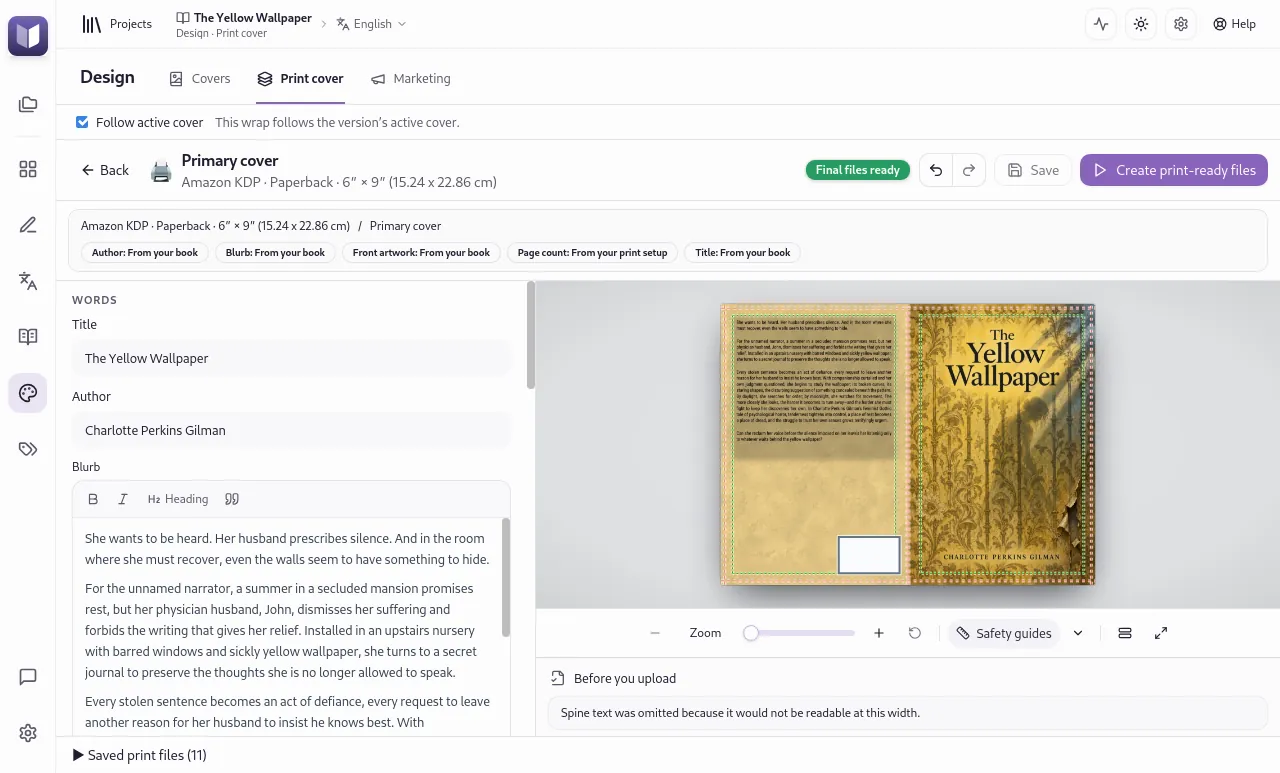
Design your cover, spine and back cover.
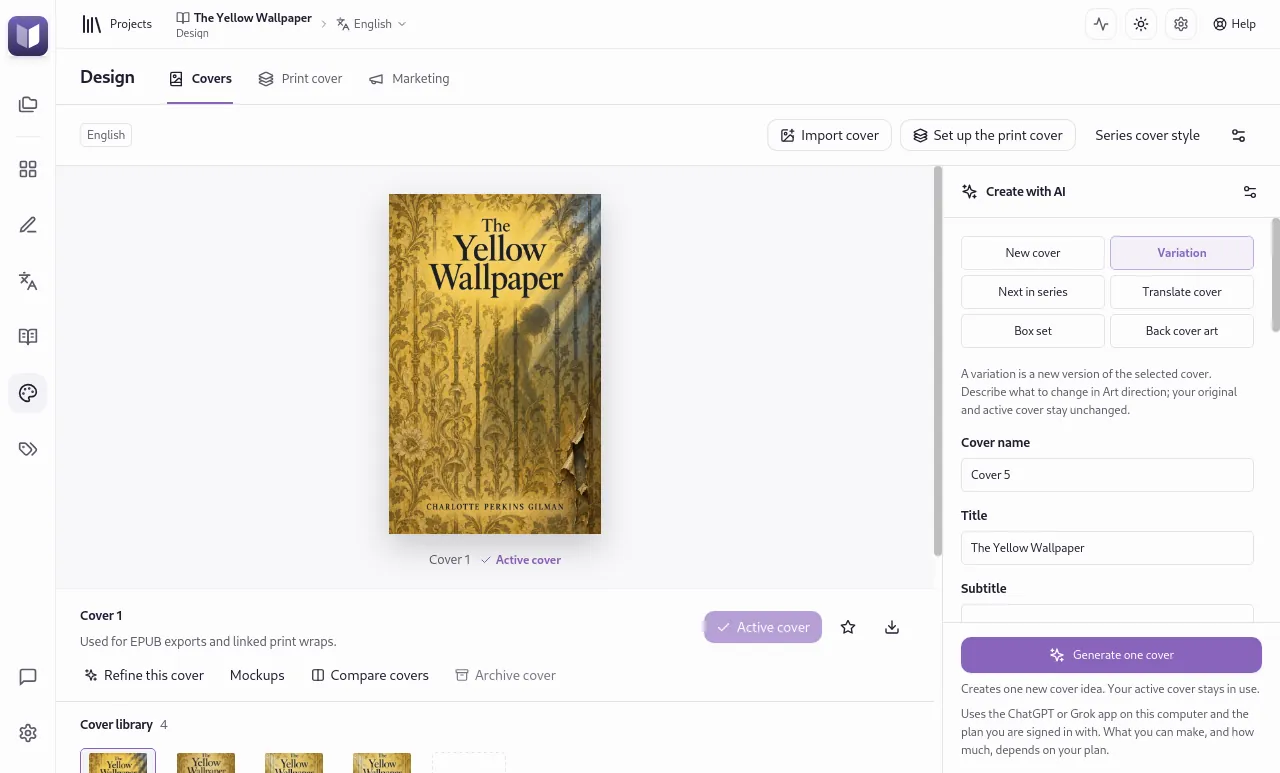
Bring your front cover artwork into a complete print cover, sized for your printer and page count.
 Open a larger image
 Open a larger image
0.86 in spine, 22.0 mm Full cover 13.11 × 9.25 in, including bleed Under 80 pages, KDP doesn’t allow text on the spine.
Example dimensions for a KDP 6 × 9 in paperback. Studio uses your exported page count and the specifications of your chosen printer.
- Paperbacks and hardcovers
- Paperback covers for KDP, IngramSpark, Barnes & Noble Press, BoD and Tolino. Hardcovers for KDP and IngramSpark, and dust jackets for IngramSpark.
- Adjust dimensions as your book changes
- Update the trim size or page count to recalculate the cover dimensions. Once you export the interior in Format, the spine follows its page count.
- Create cover artwork
- Generate cover concepts and back cover artwork with a supported AI subscription or API key.
- Check the cover before export
- Use trim and text-safety guides while designing, then check the cover before creating print-ready files.
- Covers for a whole series
- Create the next cover in a series, box-set artwork and 3D mockups of a paperback or a fanned-out series.
- Translate the cover
- Give a translated edition its own cover, with the title and text in its language.
Create graphics for your book launch.
Use your book and cover to create social posts, ads, TikTok carousels, newsletter headers and Amazon A+ images. Choose a design, customize it and export the sizes you need. Save your branding once and use it for every book in the project.
Watch


Your files, your AI
Your manuscript stays on your computer.
Write, plan, dictate and format offline. Connect your own AI service for translation, proofreading, descriptions and artwork. Any AI charges are billed by your provider.
- Codex (ChatGPT)
- Claude Code
- Grok
- Antigravity
- OpenRouter
- OpenAI
- Google AI
- DeepSeek
- xAI
- Amazon Bedrock
API keys are kept in your computer’s secure keychain, not on our servers.
Prefer to write without AI? Turn off Show AI tools in Settings and Studio hides every AI tool.
| Task | Runs on |
|---|---|
| Writing, revising, snapshots | Your computer, offline |
| Story planning | Your computer, offline |
| Prose Polish | Your computer, offline |
| Typesetting and export | Your computer, offline |
| Print cover layout | Your computer, offline |
| Dictation, transcription and read aloud | Your computer, offline |
| Translation | Your connected AI service |
| AI proofreading | Your connected AI service |
| Dictation cleanup and spoken edits | Your connected AI service |
| Descriptions, keywords and titles | Your connected AI service |
| Cover art and marketing pictures | Your connected image-generation service |
| The Assistant | Claude Code or Codex, with your own Claude or ChatGPT plan |
| Talking to the Assistant | Your computer writes down your speech, then sends it like a typed message |
Pricing
Start free. Buy once when you’re ready.
Writing, dictation, read aloud, planning, print covers and launch graphics are free, with no time limit. Translate, proofread and export print PDFs and ebooks for your first three editions free. One license then unlocks them for good.
- Free to useWriter with dictation and read aloud, Plotter, print covers, launch graphics and the Assistant, with no time limit.
- Try the professional toolsTranslate, proofread and export three editions each, free. Word and Markdown exports are always free.
- Buy onceOne license unlocks everything, with lifetime updates.
Bookshift Studio license
Launch offer price: $149
Regular price: $349
Launch offer: save $200
USD · One-time purchase
- Unlimited translation, proofreading, and print and ebook export
- Lifetime updates, on every computer you use. Works offline once activated
- No subscription. AI usage is billed by your own provider, with no markup
- 30-day money-back guarantee
Try before you buy: your first three editions of each are free. An edition is one book in one language.
Questions
Frequently asked questions
Which computers does Studio run on?
Studio runs on macOS 12 or later (Apple silicon and Intel), on Windows 10 and 11, and on 64-bit Linux, such as Ubuntu 22.04 or later.
Can I download Studio now?
Not yet. Studio is released on 16 November 2026. Join the launch list and we’ll email you when it’s ready to download.
Do I need an AI subscription?
No. Writing, plotting, typesetting and print covers all work without one. Translation, AI proofreading, descriptions and AI cover art use a subscription or API key you connect. The Assistant needs Claude Code or Codex.
Can I use Studio without AI?
Yes. Turn off Show AI tools in Settings and every AI tool is hidden, including the Assistant. Writing, planning, dictation, read aloud, typesetting and print covers all work on your computer without an AI service.
Which AI services work with Studio?
Sign in with a ChatGPT (Codex), Claude Code, Grok or Antigravity subscription, or add an API key from OpenRouter, OpenAI, Google AI, DeepSeek, xAI or Amazon Bedrock. Every option works for translation and proofreading. The subscriptions, OpenRouter and Google AI also write descriptions and keywords. Cover art and marketing pictures need a ChatGPT (Codex) or Grok subscription, or an OpenRouter or OpenAI key.
What is the Assistant?
A panel in Studio where you ask for work in your own words. It does the work and lists what changed, with Show me and Undo. It is free and optional.
What do I need to use the Assistant?
Claude Code with a Claude plan, or Codex with a ChatGPT plan. Both are free to install, and you sign in from Studio. Other AI connections work for translation and proofreading, but not for the Assistant.
Can the Assistant change my book without asking?
Edits to text you wrote arrive as suggestions for you to accept or reject, unless you choose otherwise in Settings. Everything it does is listed, and one click undoes a request. Files it has already exported stay where they are.
Does my manuscript get uploaded?
Your projects are saved on your computer. When you use an AI feature, the text it needs goes only to the AI service you chose.
Is the app available in my language?
Very likely. Studio’s interface is available in English, German, French, Spanish, Korean, Japanese, Chinese and more. You can write in any language and translate between 44 supported languages.
Can I bring a book I’ve already started?
Yes. Import from Word (.docx), Apple Pages, Scrivener, Ulysses, Vellum, Plottr, EPUB, Markdown or plain text.
What happens to my projects when Studio updates?
Your projects are ordinary folders on your computer, so they stay where they are. Studio checks for updates and installs them when you say so.
Be among the first to try Studio.
Studio is released on 16 November 2026. Join the list and we’ll email you when it’s ready to download.